Changelog
What we shipped.
New in Diffwell, newest first. Everything here works today unless it's marked In progress.
-
MigrationIn progressNov 2026
Import from Confluence and Notion
Connect a Confluence Cloud site or a Notion workspace, pick what to bring, and preview the tree with page counts before you map it to spaces. The import runs in the background and emails you when it's done.
- Page trees become folders. Images and attachments come along, and internal links are rewritten to point at the new pages.
- Comments and authors are kept.
- While your team moves, imported pages can stay in sync with the source, read-only here, until you detach them.
- The report lists what came in, what didn't, and any restrictions it saw in the source.
Known limits: Confluence Cloud only, not Server or Data Center. Notion databases come in as placeholders. Source permissions aren't copied, so imported pages take the access of the space you import into. Markdown folders and Obsidian vaults already import today.
-
EditorShippedNov 2026
Drafts and publishing
Versions now work the way commits do. Every edit goes into one shared draft per page. The draft saves continuously and your team co-edits it live, but nothing becomes a version until someone publishes it.
- Publish with the button or
Ctrl/⌘ S, with an optional message. - Readers, public links, exports and AI assistants see the last published version. Editors see the draft and an unpublished
+2 −0count in the toolbar. - The version records who published it, plus everyone who edited the draft as co-authors.
- Closing a tab or going idle no longer creates empty versions, so page history only shows changes that mean something.
- The page toolbar is tidier. Preview as reader, Markdown source, Blame and export (Markdown zip or PDF) are now in one menu.
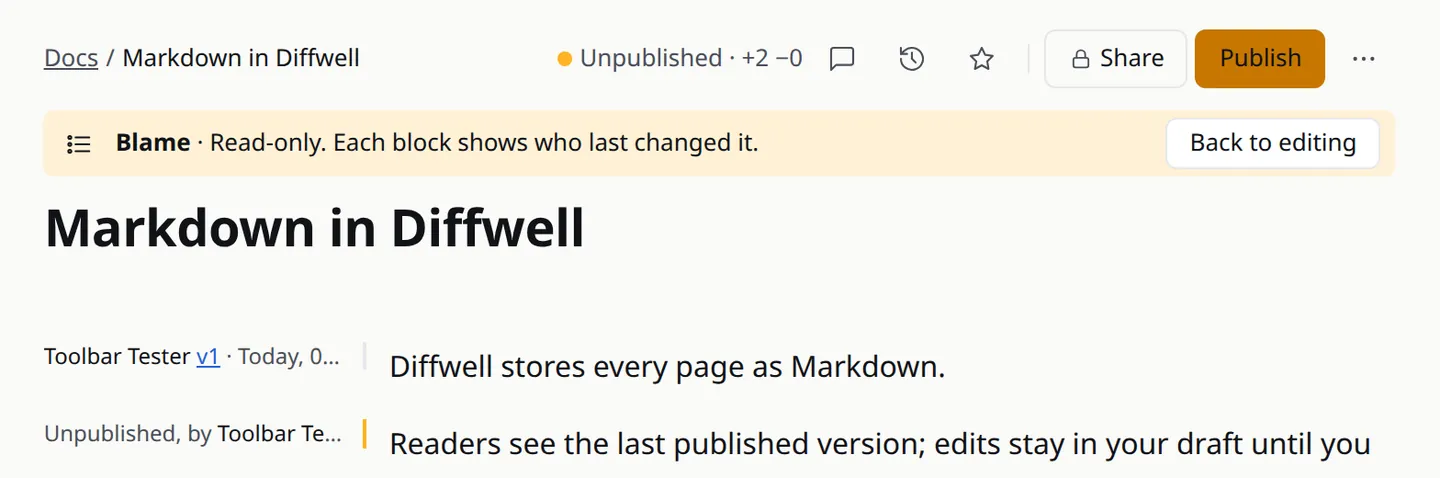
Blame shows who last changed each block, including unpublished edits. 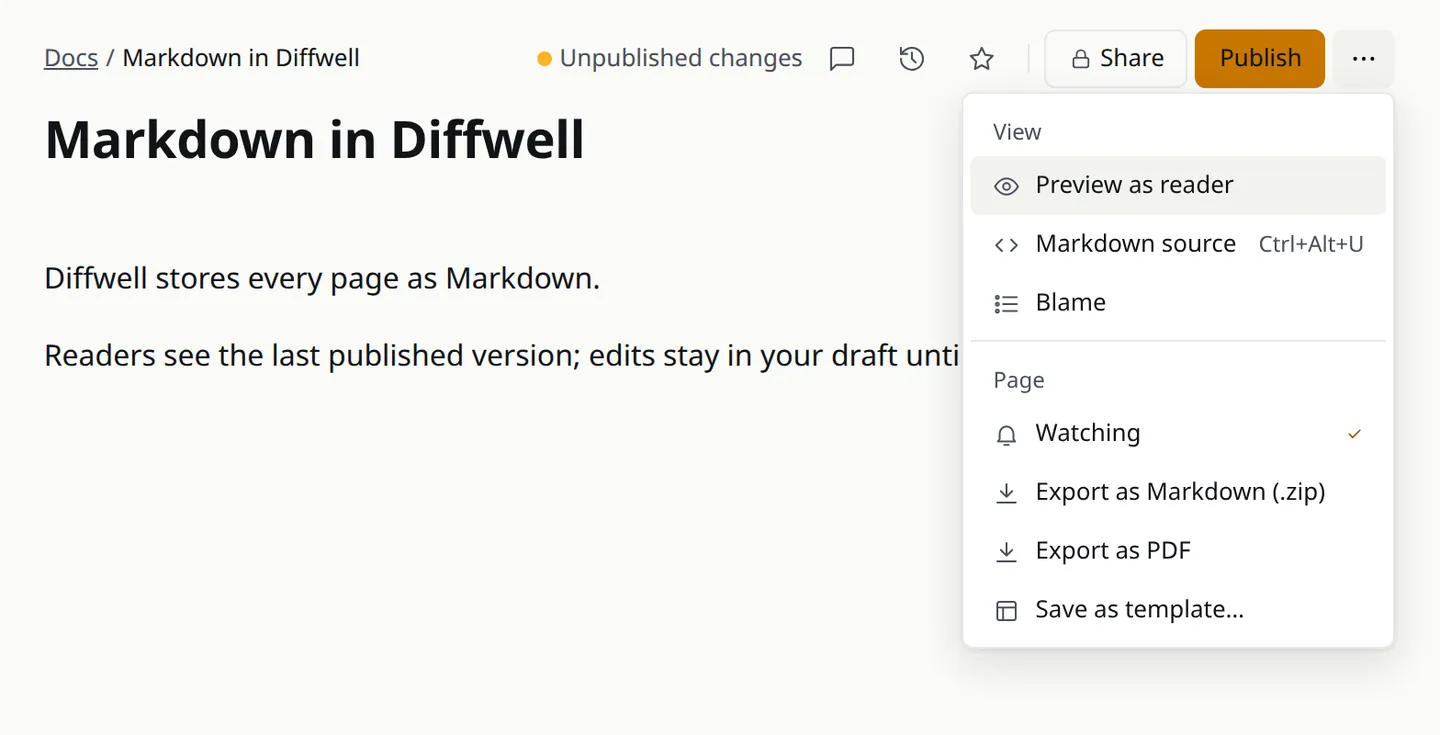
One menu for views and exports. - Publish with the button or
-
WhiteboardsShippedNov 2026
Whiteboards
Draw on an infinite, hand-drawn canvas without leaving your docs. Boards live in two places:
- Standalone boards sit in the page tree next to your pages, with their own link, history, sharing, search and trash.
- Whiteboard sections live inside a page. They show a preview at reading size and open full screen to view or edit. You can also embed a standalone board in any page, and it stays live.
Boards are co-edited in real time, with cursors, a laser pointer and follow mode. History compares two versions visually, marking what was added, removed or moved, and you can restore any version. Export to PNG, SVG or a
.excalidrawfile, and import.excalidrawfiles as boards. Boards follow the same permissions as pages.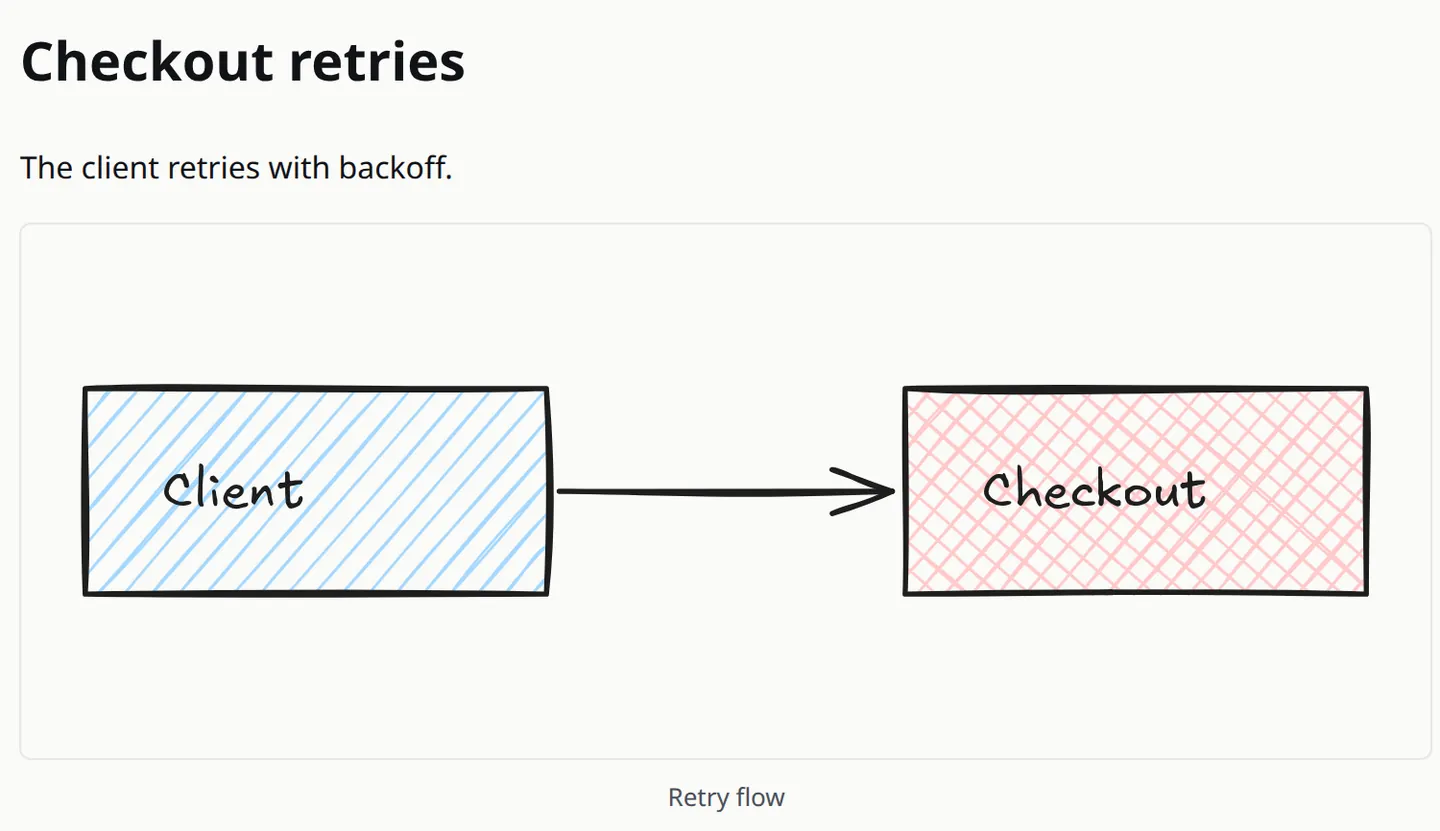
A whiteboard section inside a spec, at reading size. 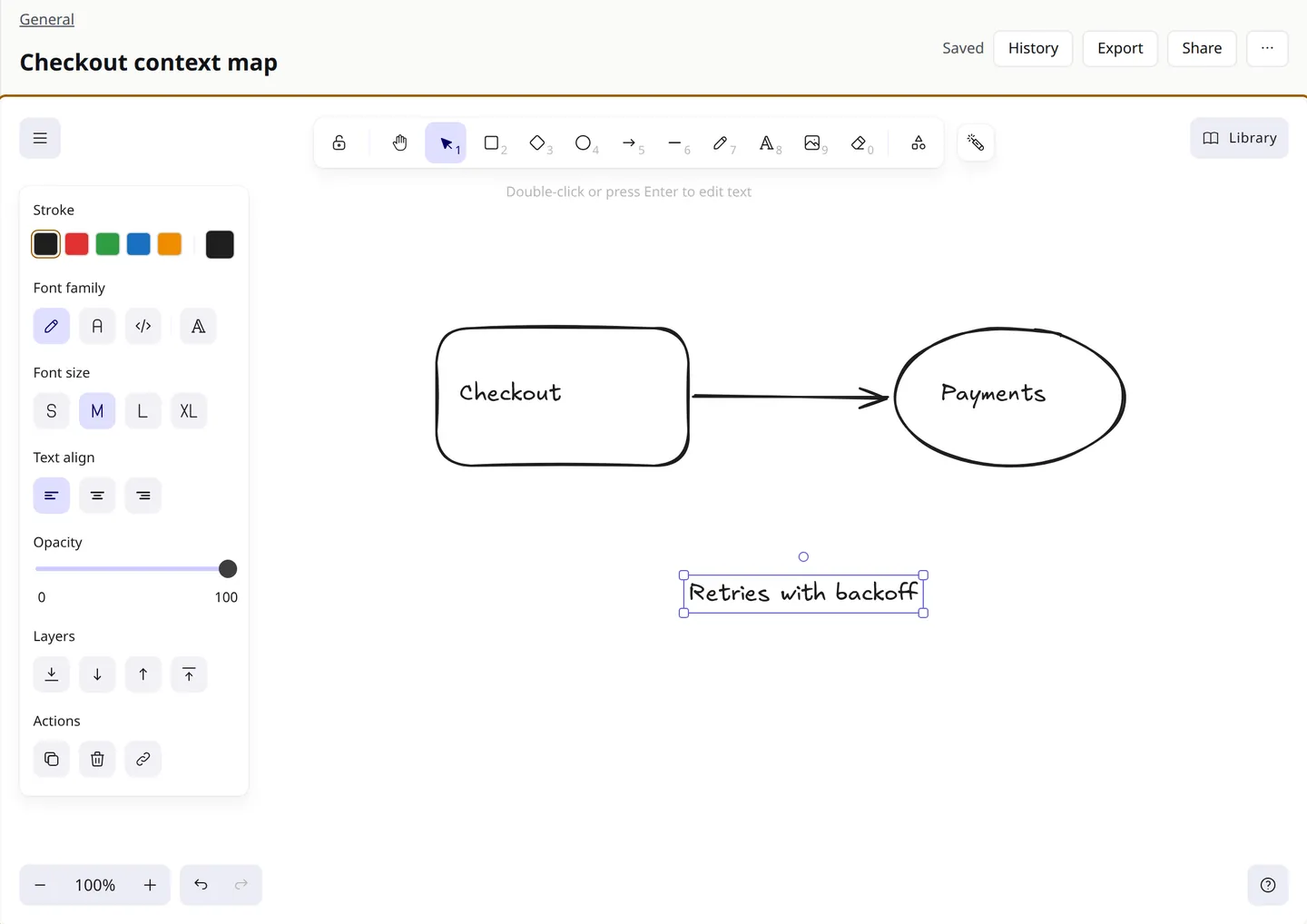
A standalone board in the editor. 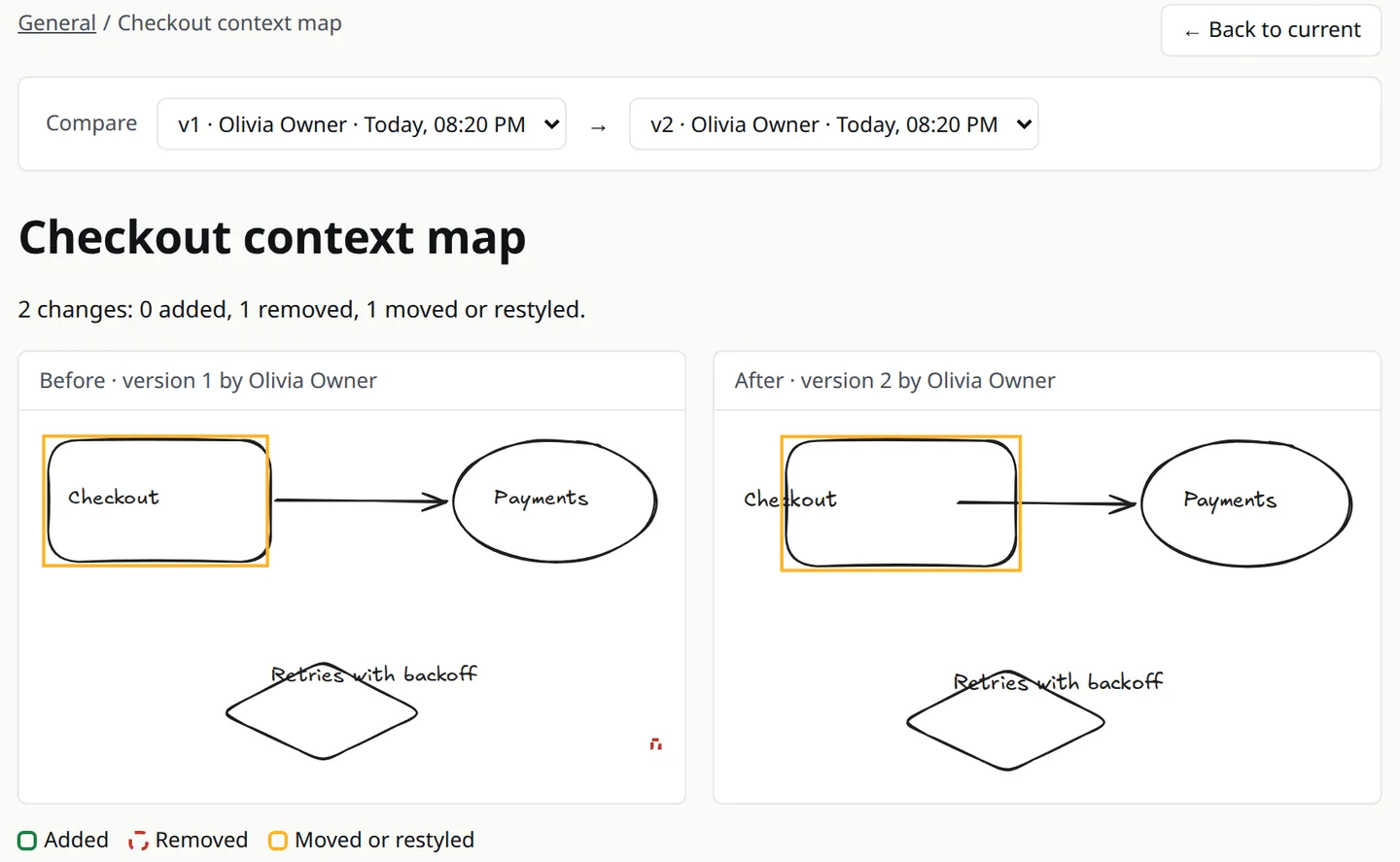
Compare two versions of a board. -
DevelopersShippedNov 2026
AI assistants over MCP, and the REST API
Diffwell now runs a hosted MCP server, so Claude Code, Cursor and GitHub Copilot can search and read your docs with your access, never more.
- You sign in once in the browser and pick a workspace. There's no token to copy.
- Read tools:
search,read_page,list_spaces,list_space_treeandread_comments. - Admins turn MCP on or off and can see 30 days of usage. Write tools (
create_page,edit_page,add_comment) are off until an admin turns them on. An AI edit becomes a normal version, labelled as AI, that you can restore.
For scripts, there are personal access tokens with read, write or admin scope, an expiry date and a last-used time. You can call the
/v1API with the same access you have in the app, and pages go in and out as Markdown. The OpenAPI spec is public, and each token can make 100 requests a minute, with standardRateLimit-*headers. Read the developer docs. -
PrivacyShippedNov 2026
Your data, your call
- Export your personal data as Markdown from your account settings. The download link is emailed to you and works for 7 days.
- Delete your account yourself. Workspace owners can export a whole workspace or delete it.
- Theme and accent colour are saved to your account, so they follow you across devices.
- Every API operation has a permission test and a cross-workspace isolation test, and rate limits now apply per workspace, per user and per network address.
-
CollaborationShippedNov 2026
Comments that stay put
- Comment inline on text, code lines, images and table cells, or on the whole page.
- Reply, @mention, react, resolve and reopen. A new Commenter role can discuss a page without editing it.
- Anchors follow their text through edits, moves and cut and paste. When the text is gone, the thread is marked Outdated and you can re-attach it.
- The comments sidebar has filters and counts, and
J/Kmoves between threads. You can also comment on old versions.
-
TeamsShippedNov 2026
Team workspaces, permissions and live co-editing
- Create a team workspace and invite people. People with your company email domain can join on their own. Add your logo and colours.
- Upgrade a personal workspace to a team and move spaces across. Links keep working.
- Permissions: groups, space roles, page and folder restrictions, and guests invited to a single space. A "Who has access" panel answers the question in one place.
- Real-time co-editing with presence avatars and live cursors.
- Notifications in the app and by email. Watch a page to follow its changes, with digests.
-
SearchShippedNov 2026
Search, ⌘K and mobile reading
- Search is typo-tolerant, with prefix and phrase matching, highlighted snippets and filters. It never shows you something you can't open.
⌘Kis the one place to jump to a page, create one or run a command.- Import Markdown folders and Obsidian vaults in the background, with a report at the end.
- Phones get a clean read-only view. On desktop, Diffwell works in Chrome, Firefox, Safari and Edge.
-
EditorShippedNov 2026
Templates
- Built-in templates for RFCs, ADRs, runbooks, postmortems and more, plus personal ones for notes.
- Save any page as a template. Folders and spaces can set a default template.
- Placeholders disappear when you type, and
{{date}},{{author}}and{{space}}are filled in when the page is created.
-
EditorShippedNov 2026
The editor, history and publishing
- A Markdown-native editor with shortcuts, a slash menu, source mode, code blocks, tables, callouts, toggles, task lists, attachments, page links and mentions. Autosave works offline.
- Mermaid diagrams render in the page, with a live preview while you edit.
- History: compare any two versions, restore, name a version, and blame any block to see who changed it.
- Publish a page to a read-only public link, and turn it off when you're done. Export to Markdown (zip) or PDF. Backlinks show every page that links to this one.
-
WorkspaceShippedNov 2026
Spaces, folders and pages
- Workspace, space, folder, page. Folders nest to any depth, and every item has a stable URL.
- Reorganise by drag and drop or with the keyboard.
- Deleted items go to a 30-day trash you can restore from.
- Favorites, recent pages and breadcrumbs.
-
AccountsShippedNov 2026
Personal accounts
Sign up as an individual and get a private personal workspace. You choose where your data lives, in the EU or the US, and you land in your first page with the cursor already in it.